
TidalFit Swim Spa Control Panels
TidalFit swim spa control panels are matched by control system first — the Gecko keypad on WaVS-equipped spas, Balboa panels on everything else — then, on the Balboa side, by generation: legacy button panels before 2013, the button panel with printed overlay from 2013, the touch screen from 2019.
Shop: Circuit Boards & Spa Packs | Control System Parts
More TidalFit: Pillows | Filters | Heaters | Misc Parts | All TidalFit Parts | Resource Center & Manuals
Showing all 9 resultsSorted by price: high to low
-
TidalFit Swim Spa Control Panels
TidalFit Topside Control with Overlay – 2015 – 2018
$339.99 Read more





TidalFit Swim Spa Control Panel Fitment — Find Yours by Era
The control panel (Artesian calls it the topside control) is the display-and-button unit on your spa’s top rail. The right replacement depends first on your control system — a spa ordered with the WaVS swim system has a Gecko keypad, a spa ordered without it has a Balboa panel, whatever the year — then on the Balboa panel generation, your pump count and whether your spa has a swim system with its own electronics.
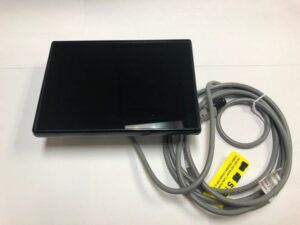
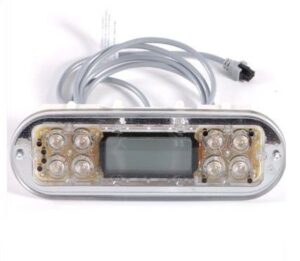
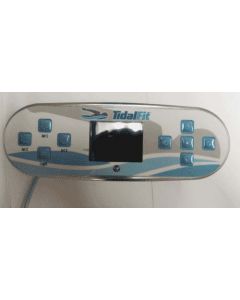
Pre-2013: legacy Balboa button panels — the ML700-style panel on EL systems, the VL-700 and the AX-10 pump-switch panels. The factory no longer lists the systems behind them; if yours has failed, the durable repair is an upgrade to a current system rather than a hunt for old stock, and we’ll map it for you on request. 2013–2017: the TP800 button panel, listed with TidalFit-specific printed overlays for 2-pump and 3-pump spas (and an early overlay labeled for the EP 14). If the printed surface is peeling or bubbled but the display reads normally, the overlay alone is usually the fix; a blank or scrambled display means the panel. 2019 on: the Spa Touch touch screen, used across TidalFit, Island Spas and Tropic Seas of the same years — a flat glass face with its own overlay. WaVS-equipped spas (any year the option was offered): the Gecko in.k1000+ keypad with the on-screen swim speed bar and Wi-Fi through the in.touch module — a different platform from every Balboa panel above.
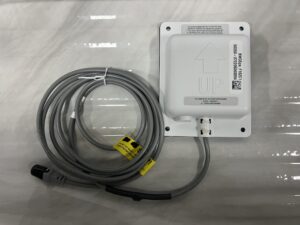
Swift Water Trainer spas use the NEO Touch panel from the swim system manual — swim speed and workout screens, Bluetooth music pairing — which is a different part from every panel above. And if you’re relocating a panel or its cable is damaged, the factory 25 ft panel cable extension is listed here too.
While you’re replacing the panel: worn buttons usually mean years of use — check the parts that age on the same clock: Pillows | Filters
Visit the TidalFit Swim Spa Resource Center for part guides and troubleshooting, or download your TidalFit Owner’s Manual.
TidalFit Swim Spa Control Panels FAQs
✅ Not Sure Which Control Panel Fits? Verify Before Ordering
TidalFit control panel compatibility varies by control system (Gecko on WaVS-equipped spas, Balboa otherwise), model year, serial number, pump count and part revision.
To help us identify the correct replacement, please send clear photos of:
- Your control panel face and display (powered on, if possible)
- Your spa serial number sticker
- Any part number on the back of the panel or its cable, if accessible
- Your spa pack / control system label
EZ Hot Tub Parts can confirm fitment before you order and help you avoid costly returns.