
How to Start Up and Maintain a Hot Tub with the FROG® @ease® Inline System
This guide is for hot tubs with the FROG @ease Inline System built into the spa — the cartridge well with a round cap on the shell that holds a blue Mineral Cartridge and a silver SmartChlor® Cartridge. If your FROG @ease floats in the water instead, use our FROG @ease Floating System guide. The two systems use different cartridges and different settings, so make sure you’re on the right page.
Tip: Bookmark this page. Most new owners reference it several times during their first month of ownership.
Who the @ease Inline System Is Best For
The inline version of FROG @ease comes factory-installed on many spas (including several Artesian family brands). It’s the lowest-effort water care setup we sell: the cartridges live inside the plumbing, there’s nothing floating in the water, and SmartChlor self-regulates to hold a low 0.5–1.0 ppm free chlorine level. If your spa has the cartridge well in the shell, use it — it’s already plumbed for this exact system.
Products and Supplies You’ll Need
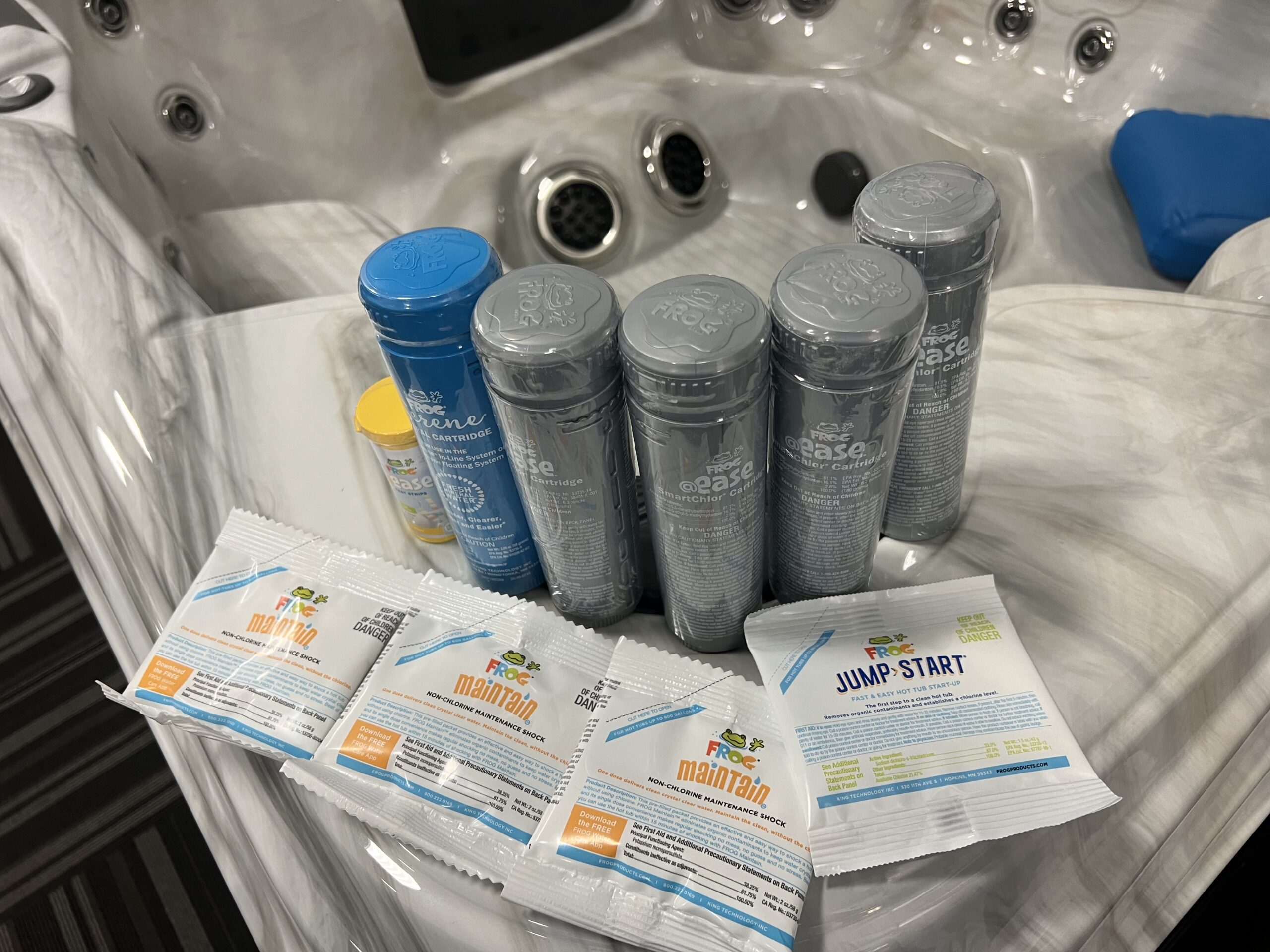
- FROG @ease Inline Bundle — 4 SmartChlor cartridges, 1 mineral cartridge, @ease test strips, 3 Maintain packets, and a Jump Start packet (roughly a 4-month supply for most tubs).
- FROG @ease SmartChlor Cartridge (inline) — single replacement.
- FROG Mineral Cartridge (inline) — replace every 4 months.
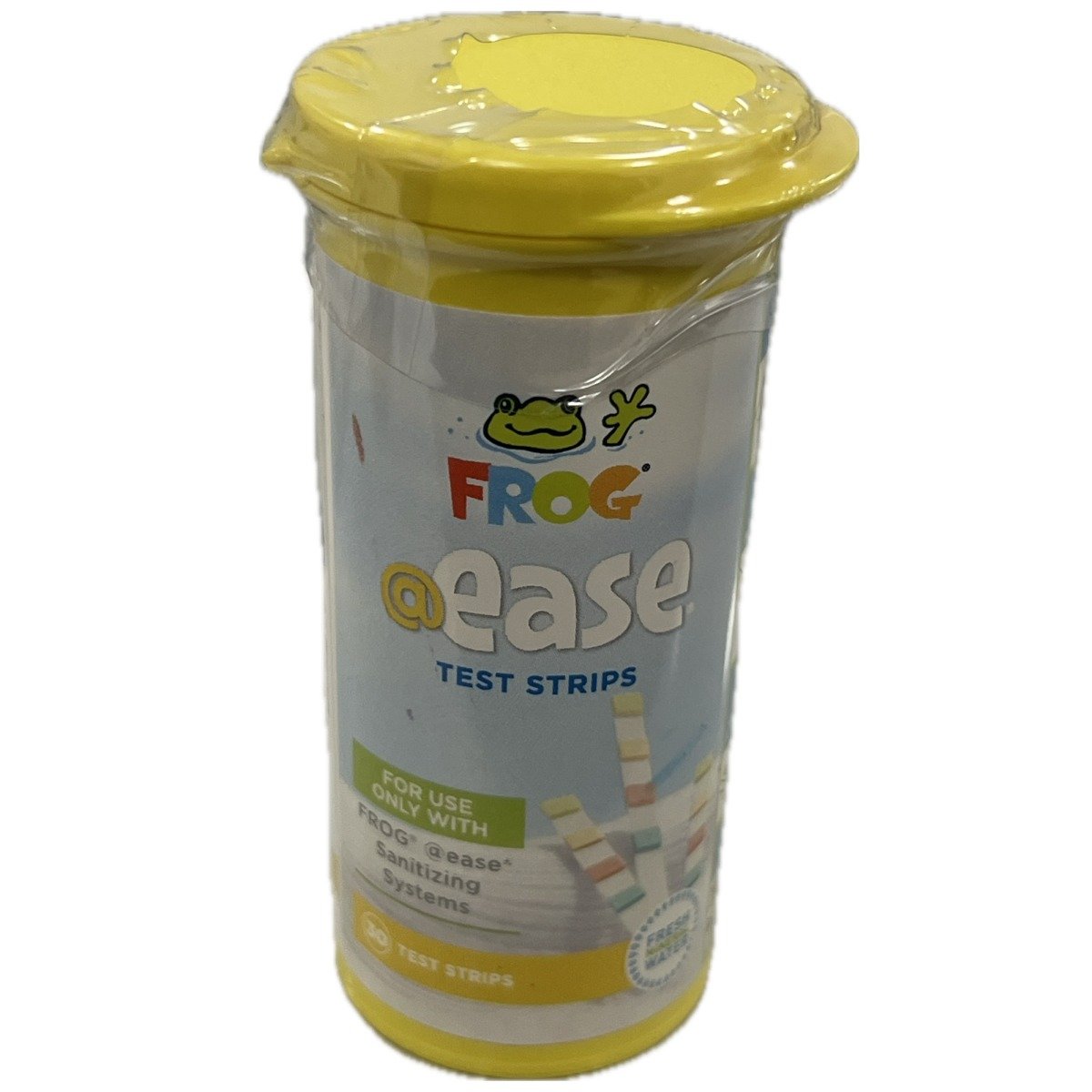
- FROG @ease Test Strips — the only strips that read this system correctly.
- FROG Jump Start — startup shock for fresh fills.
- FROG Maintain — monthly non-chlorine shock.
- FROG Balancing Basics Kit — or individual balancers as needed: Target (alkalinity up), JumpH (pH up), DropH (pH/alkalinity down), SooTHe (hardness up).
- Hose pre-filter for filling.
- Metal control if you’re on well water or have staining history.
Step 1: Prep Before You Fill
Quick checklist
- Rinse/clean the filter(s) (or install new filters).
- Make sure all jets are open and valves are set normally.
- Confirm the drain is closed, pump unions are snug, and pump drain plugs are installed.
- Have your @ease test strips and balancing chemicals ready.
- Locate the @ease Inline cap on the spa shell so you know where the cartridges go.
Step 2: Fill the Spa the Right Way
Fill through a hose pre-filter to reduce sediment and metals, and fill through the filter compartment when your manufacturer allows it — it helps prevent air locks and primes the pump. When full, power up, run the jets, and confirm good flow.
Metals & phosphates
On well water or if you’ve ever seen staining, add Leisure Time Metal Gone after filling. If sanitizer seems to vanish or water won’t stay clear later on, test for phosphates and treat with SeaKlear Free & Klear if they’re high.
Step 3: Balance Your Water
Balance in this order: Total Alkalinity → pH → Calcium Hardness
FROG @ease Inline target ranges
These are FROG’s published ranges for the @ease Inline System. Fix alkalinity first because it stabilizes pH — even if adjusting it throws pH off further, alkalinity comes first. Add balancing chemicals in small doses, one at a time, with the jets on, and retest before adding more.
Step 4: Start Up the @ease Inline System
1. Shock with Jump Start
After balancing and before inserting cartridges, establish an initial 0.5–1.0 ppm free chlorine residual with a FROG Jump Start packet — one packet treats up to 600 gallons. It fizzes and dissolves in minutes.
2. Set the cartridges
Remove the shrink wrap from both cartridges. Set the blue Mineral Cartridge to #6 — it stays there for its whole life. Set the silver SmartChlor Cartridge to match your spa’s water capacity using FROG’s inline setting chart:
| Spa size (gallons) | @ease Inline SmartChlor setting |
|---|---|
| 200–250 | 1 |
| 251–300 | 2 |
| 301–450 | 3 |
| 451–600 | 4 |
Source: FROG @ease Inline System operating instructions. Your spa’s owner’s manual lists its gallon capacity. This chart is for the inline (in-shell) system only — the floating @ease and the filter-basket version use different settings.
3. Load the holder
Turn the jets off — never open the inline cap while jets are running. Open the cap, remove the holder (push down, turn counter-clockwise 1/8 turn, pull out), snap the Mineral Cartridge into the section marked “Minerals” and the SmartChlor Cartridge into the lower section, then reinsert the holder, lock it clockwise, and replace the cap.
Step 5: Test the Right Way
Use FROG @ease Test Strips — not standard chlorine strips. SmartChlor holds a chlorine reserve that standard strips misread as high total chlorine. The @ease strips read the system correctly and include the SmartChlor Out Indicator: when the strip pad reads lighter than the indicator color on the bottle, the SmartChlor cartridge is empty.
With balanced water, the system holds free chlorine at a steady 0.5–1.0 ppm — that low reading is normal and correct for this system, not a sign it’s failing.
Step 6: First Week & Weekly Routine
First week
Expect the SmartChlor reserve to bank up over the first days. Test every day or two with @ease strips and confirm alkalinity and pH are holding in range. If chlorine reads low after several days, turn the SmartChlor dial up one number and retest the next day.
Weekly “5-minute” routine
- Test with @ease strips (alkalinity → pH → SmartChlor reserve).
- Adjust only what’s needed, in small steps.
- Rinse filters weekly; deep-clean monthly with Leisure Time Filter Clean.
- Wipe the waterline if a ring forms.
Shock once a month with FROG Maintain
Shock with FROG Maintain once a month or whenever you replace the SmartChlor cartridge. Do not use dichlor shock with @ease — it builds up cyanuric acid, which reduces SmartChlor’s effectiveness.
Twice a year
Lubricate the inline holder o-ring with a silicone lubricant so the cap keeps sealing properly.
Step 7: Cartridge Replacement Schedule
| Cartridge | Replace | How you know |
|---|---|---|
| SmartChlor (silver) | ~3–4 weeks (average 400-gal spa) | @ease test strip reads lighter than the Out Indicator on the bottle |
| Mineral (blue) | Every 4 months, or at every drain & refill | Calendar — minerals are spent even if media remains inside |
Drain the water out of a spent SmartChlor cartridge to confirm it’s empty, then discard — don’t try to reuse cartridges. Larger tubs (400+ gallons) with heavy use may need a higher dial setting, which shortens cartridge life.
Troubleshooting
Cloudy water or low chlorine
- Shock with FROG Maintain (non-chlorine).
- Check water balance — pH and alkalinity must be in range for @ease to work.
- Check the SmartChlor cartridge; replace if empty.
- If it’s not empty, turn the dial up one number and retest the next day.
- Check the calendar — if the mineral cartridge is over 4 months old, SmartChlor alone can’t sanitize the tub.
- Still fighting it? Test phosphates and treat if high — they quietly consume sanitizer.
Chlorine reads high on standard strips
That’s the SmartChlor reserve, not over-chlorination. It shifts to free chlorine only as needed. Use the @ease strips that match the system.
When to Drain, Purge, and Refill
Drain and refill on your spa manufacturer’s schedule — FROG recommends at least every 4 months — or sooner if water becomes hard to manage. Before draining, run a pipe & jet cleanser through the plumbing so the fresh fill starts truly clean. A submersible utility pump makes draining larger spas much faster. Every refill = new mineral cartridge.
FROG @ease Inline System FAQs
FROG backs every @ease system with a real help line and a free app. For product-specific testing, cartridge settings, dosage, and troubleshooting, go straight to the source.
FROG VIP Help Line
FROG Water Care® App
Test your water, troubleshoot issues, and locate your dealer — all in one place.
Related EZ Water Care Guides
FROG @ease Floating System Guide
Same SmartChlor chemistry in the gray floating dispenser — startup, settings, and weekly care for spas without the built-in inline well.
FROG Serene Inline System Guide
The bromine-based cousin of this system. If your inline well takes a green bromine cartridge instead of a silver SmartChlor cartridge, this is your guide.
Browse all guides on the EZ Hot Tub Water Care hub.